What Is Data Normalization in Marketo?

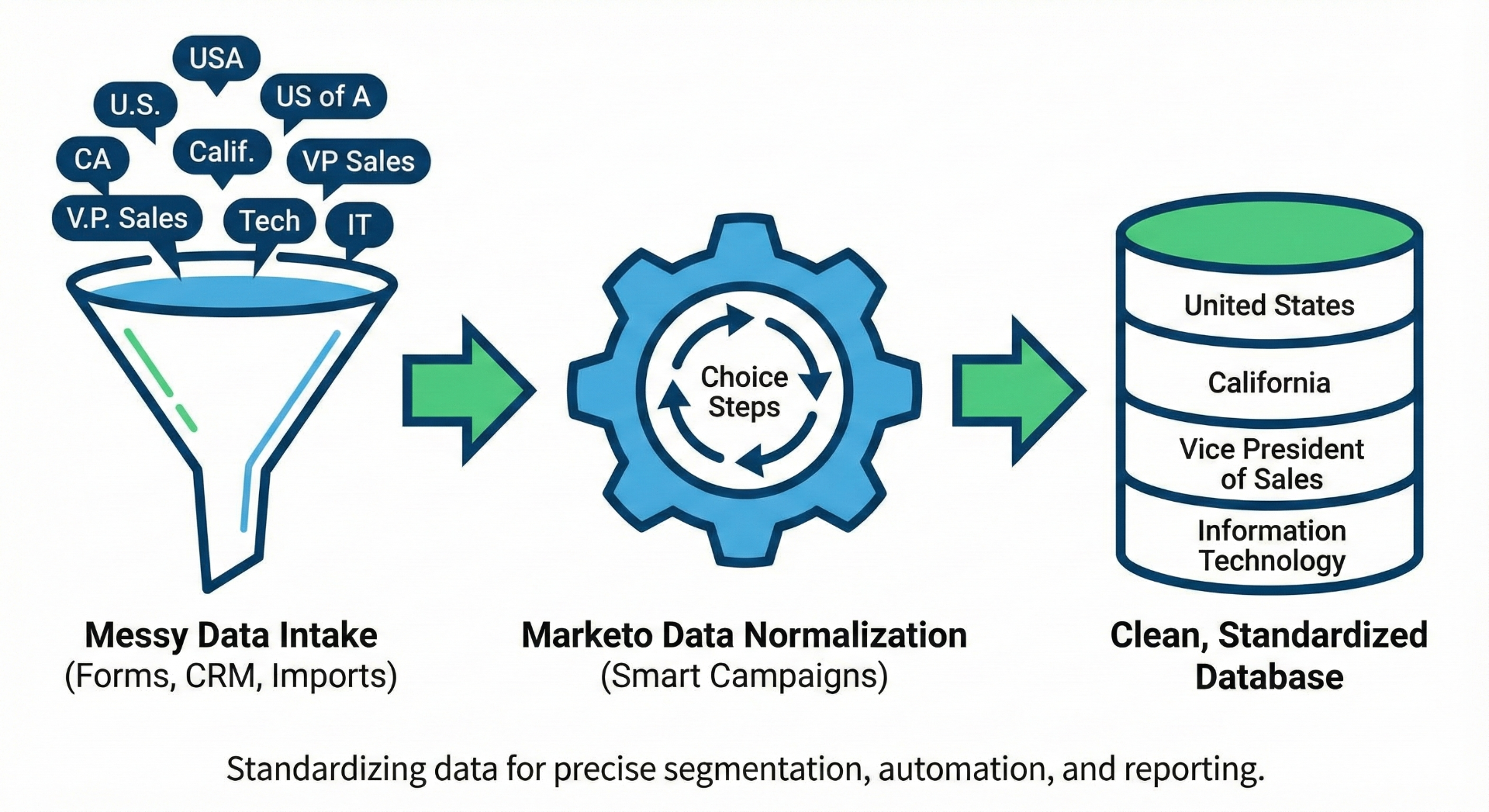
Data normalization in Marketo is the process of standardizing and cleaning data as it enters or resides in your database. When data comes in through web forms, CRM syncs, or list imports, it often contains messy variations. For example, "US," "USA," and "United States of America" might all show up as values for the country field. This creates problems in segmentation, automation, and reporting. Normalization ensures everything adheres to a single, predictable standard, allowing you to segment, score, and report with precision and confidence.
How to Implement Data Normalization in Marketo
You use normalization by setting up rules, typically via Smart Campaigns, in an operational Data Management Program. To clarify, a Data Management Program is not a Default Program, an Event Program, an Email Program, or a Nurture Program. Instead, it's simply a Smart Campaign (or a series of them) organized in a dedicated "Data Normalization" folder, advisably placed under an "Operational" folder. If you don't already have an Operational folder, we recommend creating one to keep all your operational flows structured.
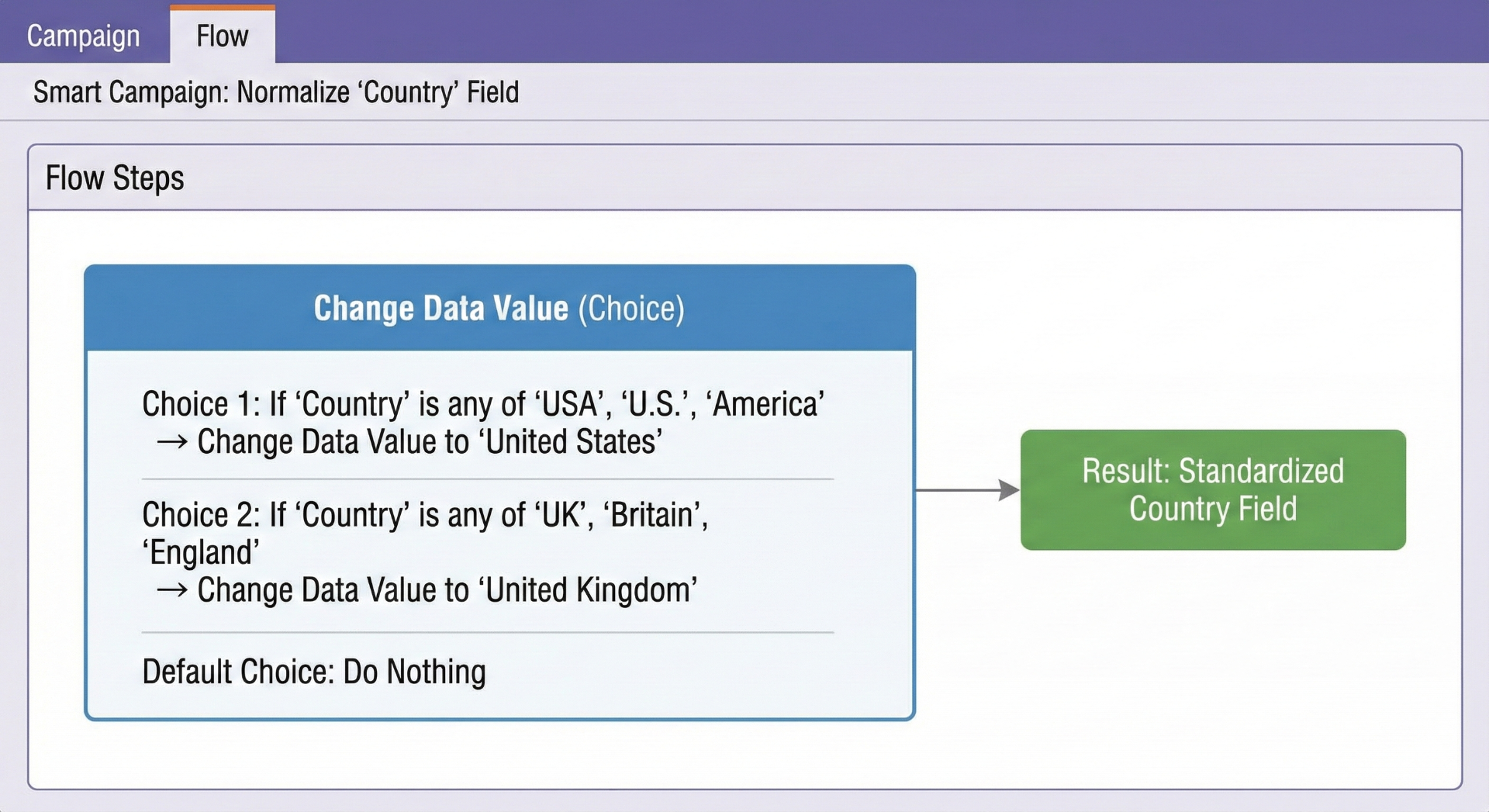
For example, you can create a batch Smart Campaign that runs off-peak to scan all records whose "Country" values don't match your canonical list. In the "Flow" tab, use conditional "Choice" steps to transform entries like "USA," "U.S.," or "United States of America" into "United States," and entries like "England," "Britain," or "UK" into "United Kingdom." Then, pair that with a triggered campaign that automatically standardizes new or updated records in real time so the database stays clean moving forward.
Example Fields to Normalize
- Country: USA, U.S., America → United States | England, Britain, UK → United Kingdom
- State/Province: CA → California | NY → New York
- Job Title: VP Sales, V.P. Sales → Vice President of Sales
- Industry: Tech, Technology, IT → Information Technology
Why Data Normalization Matters
Data normalization solves multiple headaches that most Marketo admins face. First, it prevents errors in automations like lead scoring or lifecycle stage transitions, which depend on clean, consistent values. Second, it makes building Smart Lists much simpler; you only query one normalized value rather than trying to remember all the messy variants. Third, it avoids CRM sync failures. For example, if you're syncing with Salesforce and Salesforce only accepts "United States" or "United Kingdom," but Marketo tries to pass "USA" or "Britain," the sync either fails or pollutes Salesforce with bad data.
And finally, normalization dramatically improves reporting and segmentation. Instead of dealing with fragmented data (where "VP Sales" and "Vice President Sales" get counted separately), you get apples-to-apples comparisons. That means better targeting, more accurate analytics, and cleaner campaign execution.
Real Impact of Data Normalization
Teams that have gone through this describe their database as a "Wild West" before normalization, where fields like country, state, and job title were inconsistent, hurting targeting and reporting. Once normalization rules were in place, reports became accurate, segmentation precise, personalization much easier, and the entire marketing engine more predictable.
Best Practice: Combine batch campaigns (to clean up existing data) with triggered campaigns (to normalize data in real time as it enters). Run batch jobs off-peak so they don't slow down active campaigns. Keep Smart Campaigns efficient by limiting Choice steps to around 20–25 and grouping them logically. Most importantly, centralize all your normalization campaigns in one structured folder so they're easy to find, maintain, and scale as your business evolves.
Need Help with Marketo Data Management?
Our marketing operations experts can help you implement data normalization rules and clean up your Marketo database.
Related Resources
Programs vs. Smart Campaigns in Marketo
Understand the building blocks of Marketo automation
What Is the "Settings for Email Opens" in Marketo?
Learn about campaign-level email tracking options
Why You Should Switch to Global Forms in Marketo
Improve efficiency with consolidated global forms
Marketing Automation Services
Learn about our Marketo and marketing ops expertise
Subscribe for Insights That Drive Growth
Practical tips to help you grow your business and build a great team, sent to your inbox.